The power dialer
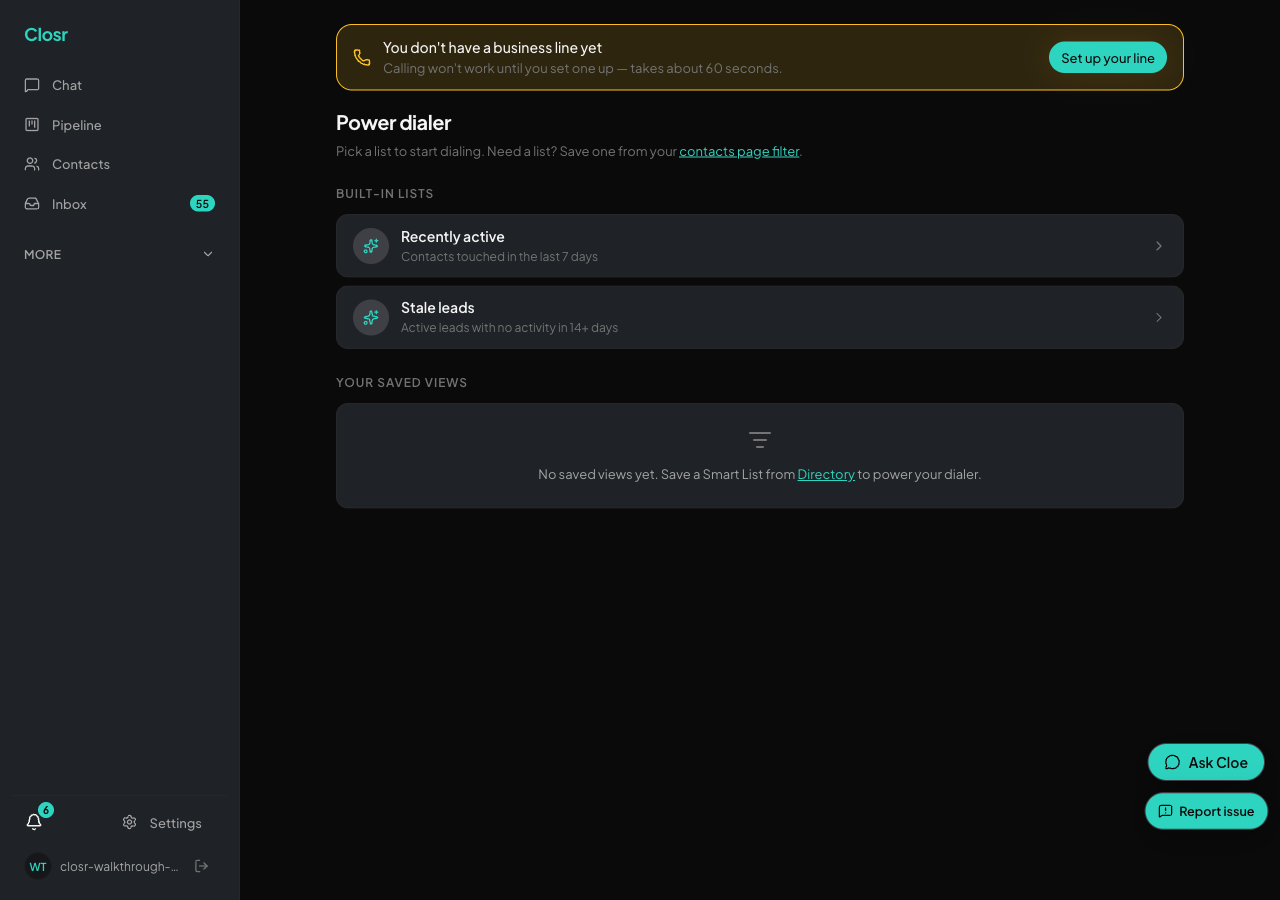
The power dialer lives at /app/phone (Phone in the sidebar). It is click-to-call, not auto-dial. You press Call on each row.
Before you start
You need a Closr business phone number. Set it up at Settings, then Business Phone, via 'Set up your line'. Closr provisions a number near your city. For chat-initiated calls, you also need your personal mobile number in your profile. Without it, you see: 'Add your phone number to your profile before making calls.' Calls are blocked on an expired trial.
Loading a list
Three sources for your list:
- •Recently active. Contacts you contacted in the last 7 days.
- •Stale leads. Active leads with no contact in 14 or more days, ordered by AI score.
- •Any saved view. Every saved view from your Contacts page appears here.
Contacts with no phone number are excluded from all three. The list is capped at 200. If no contacts match: 'No contacts match this list right now. Try a different list, or add more contacts with phone numbers.'
During a call
Click Call on a row (or press C). Both sides hear 'This call may be recorded.' The call uses your Closr business line. While connected, type notes into the pad. They save to the contact thread when the call ends, no separate log step.
Browser calling needs mic permission. Grant it when your browser asks, or calls will not connect.
After a call
Every call is recorded, transcribed, and summarized by AI. The summary includes a TLDR, decisions, action items, next steps, sentiment, and commitments. Commitments and next steps become follow-up items in your brief. Your voice from calls trains your writing style. Notes you typed during the call feed the AI summary. Voicemails are captured but not transcribed.
After the summary appears, the dialer auto-advances to the next row in about 1.2 seconds. Turn off auto-advance with the checkbox if you want to control the pace.
Keyboard shortcuts
- •C -- Call the current row.
- •N -- Skip to next (no call).
- •S -- Same as N.
- •D -- Disqualify the lead and advance. Marks the lead LOST.
Keyboard shortcuts are disabled during an active call.
Opted-out contacts
The Call button is disabled for opted-out contacts. They show an 'Opted out' badge in the row.
Three ways to call (not just the dialer)
- •Power Dialer page (/app/phone) -- browser calling, click Call or press C.
- •Chat -- say 'call Sarah'. Closr rings your phone first, then bridges to the contact.
- •Mobile app -- same ring-you-first bridge as chat.
Canadian numbers do not carry US caller-ID trust registration. They stay on default attestation. This is not a bug.
Where to go next
- •
business-phone: setting up your Closr Twilio line in the first place - •
lead-scoring-views: building the saved view you'll dial - •
sms-and-calls: one-off SMS + voice (when you're not in dialer mode)