Running a CMA
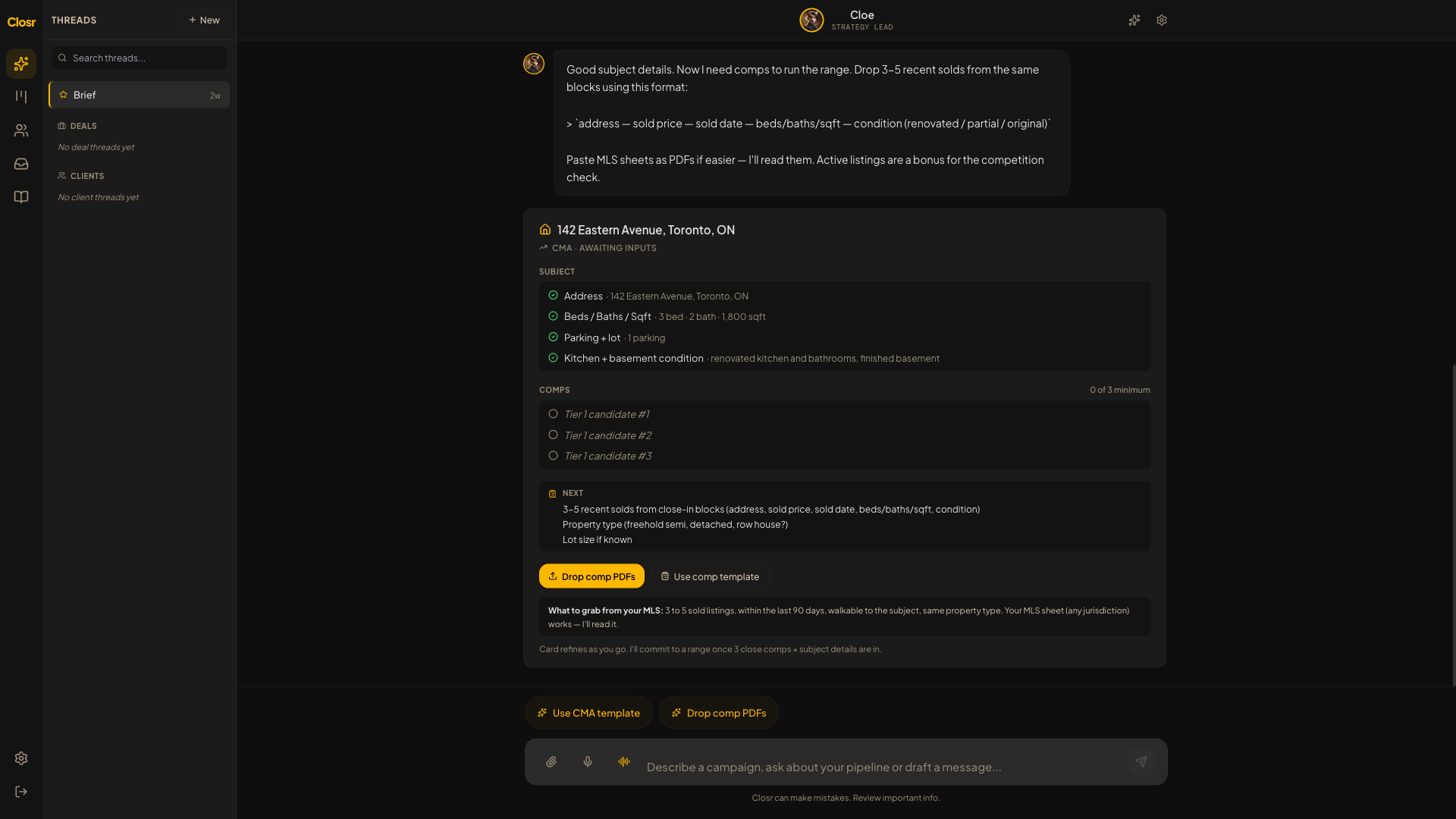
There is no CMA button. The CMA runs through chat. Say the address and which side you are on, and Closr takes it from there.
Starting a CMA
- 1Type a trigger phrase: 'Run a CMA on 142 Eastern', 'Value 142 Eastern', 'What's 142 Eastern worth', 'Price this', or 'Where would this list'. Any of those works.
- 2If you do not say buyer or seller side, Closr asks: 'Buyer or seller side?' Answer that before anything else runs.
- 3For best results, drop the subject property's past MLS listing PDF into chat. It carries condition notes and remarks that improve the output. Or type the address plus beds, baths, sqft, and features.
- 4Closr runs the CMA against your comp library.
Building your comp library
Comps come from your personal comp library, not a live MLS feed. To build it, drop a bulk sold-listings PDF from your MLS portal into chat. Closr ingests it in about 30 seconds (up to 75 seconds for large files). You do this once per area, then update it as new solds come in.
If your library has fewer than 3 comps, the CMA will not run. Closr says: 'Drop a bulk sold-listings PDF from your MLS portal'. If fewer than 3 comps match the property type in that area, you see: 'Your comp library is thin for this area.'
Reading the output card
The CMA card shows a Conservative / Target / Aggressive range. Conservative is the 'Set expectation at' number. Aggressive is 'Data supports up to'. Target is the median of Tier 1 sold prices. Comps are grouped into tiers: anchor, Tier 1, Tier 2, outliers, and excluded. Each comp shows a score breakdown. Comps older than 30 days on market are set aside as outliers and never used as the anchor. List prices never enter the math.
Thin comps
When the comp set is weak, the card shows a banner: 'Thin comp set. This range is preliminary.' The 'Draft Pitch Email' button is hidden on purpose. You cannot build a client pitch on weak evidence. The 'Add More Comps' button is always available.
Rating and refining comps
Thumbs up or down each comp with a reason: 'too far', 'wrong condition', 'different layout', 'stale'. This trains future CMAs for your account. To refine the whole set, tap 'Refine comps' or ask Closr. Excluding or including comps triggers a full re-curate, which takes about 40 seconds. Manual dollar adjustments only take 8 to 10 seconds and are tagged '(your call)'.
Closr never argues your number down. If you say the value is off, Closr asks what you are seeing that the comps do not capture and offers to refine. The valuation is your call.