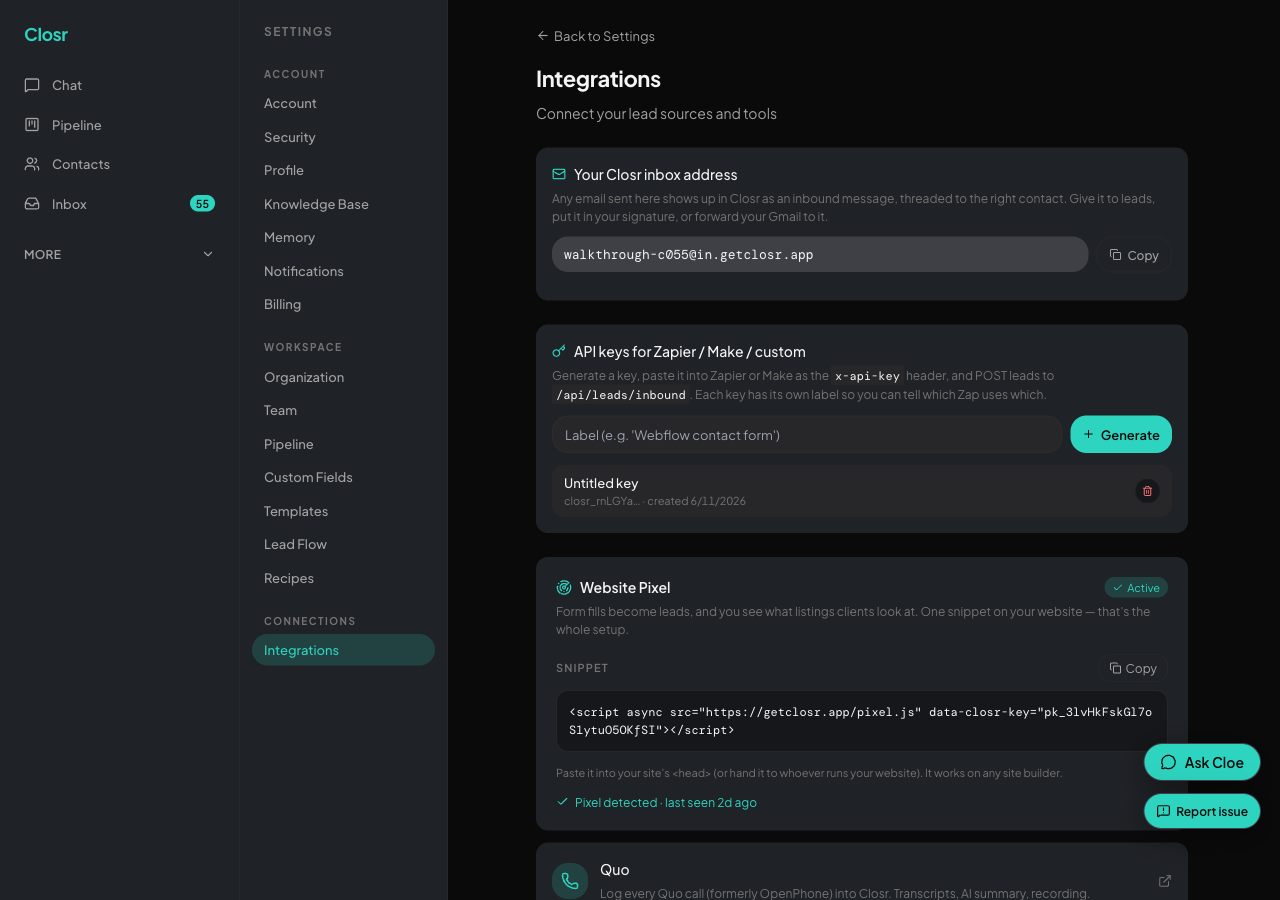
API keys
Closr API keys let outside tools send leads into your pipeline. Use one for a Zapier zap, a Make scenario, a Webflow contact form, or any custom integration that can make an HTTP request. The key is not for the Closr mobile app.
Creating a key
- 1Go to Settings, then Connections, then Integrations.
- 2Scroll to the 'API keys' section.
- 3Type a label (optional, max 80 characters). Examples: 'Webflow contact form', 'Zapier FB Lead Ads'.
- 4Click Generate.
- 5A banner appears with a 'COPY NOW' warning that you will not see this key again. Copy the key immediately. Closr stores only a hash and cannot show it again.
The key starts with 'closr_'. Your team can have up to 10 active keys. If you try to create an 11th, you see: 'Maximum 10 API keys per team. Revoke an unused one and try again.'
Using the key to send leads
POST to https://getclosr.app/api/leads/inbound with the header x-api-key: [your key]. Required field: firstName. Optional: lastName, email, phone, company, title, source, tags, propertyAddress, value, message. A successful call returns the new contactId and leadId, and fires your LEAD_CREATED automation.
An expandable details section in the API keys section shows a ready-to-run cURL example. Use it to test before wiring up Zapier.
Keys are team-scoped
Any teammate can create or revoke a key. Treat keys like passwords. Do not put them in a public Git repo or paste them into Slack. Anyone with the string can post leads as your team.
There is a second kind of key. An MCP key acts as one person, not the team, and lets Claude Code, Cursor, and other AI tools use Closr directly. See the 'Use Closr from Claude' guide.
Revoking a key
Click the trash icon next to the key. The dialog says: 'Revoke this key? Any Zap or external tool using it will stop working.' Confirm and it is gone immediately. Any tool still using that key gets a 401 on its next call. The action is permanent.
Rotating a key
- 1Generate a new key with a fresh label.
- 2Paste the new key into the integration that was using the old one.
- 3Test the integration (send a test lead).
- 4Revoke the old key.
Related guides
- •
web-tracker-installfor putting the page-view snippet on your site. - •
lead-intakefor posting form submissions and Facebook Lead Ads into your pipeline.